PACER dashboard
The PACER Dashboard is an optional monitoring component for PACER. When deployed, it provides real-time visibility into message processing activities across the platform. Its primary purpose is to offer a user-friendly interface that enables participating teams to monitor data ingestion workflows, trace message processing, and efficiently diagnose and troubleshoot errors.
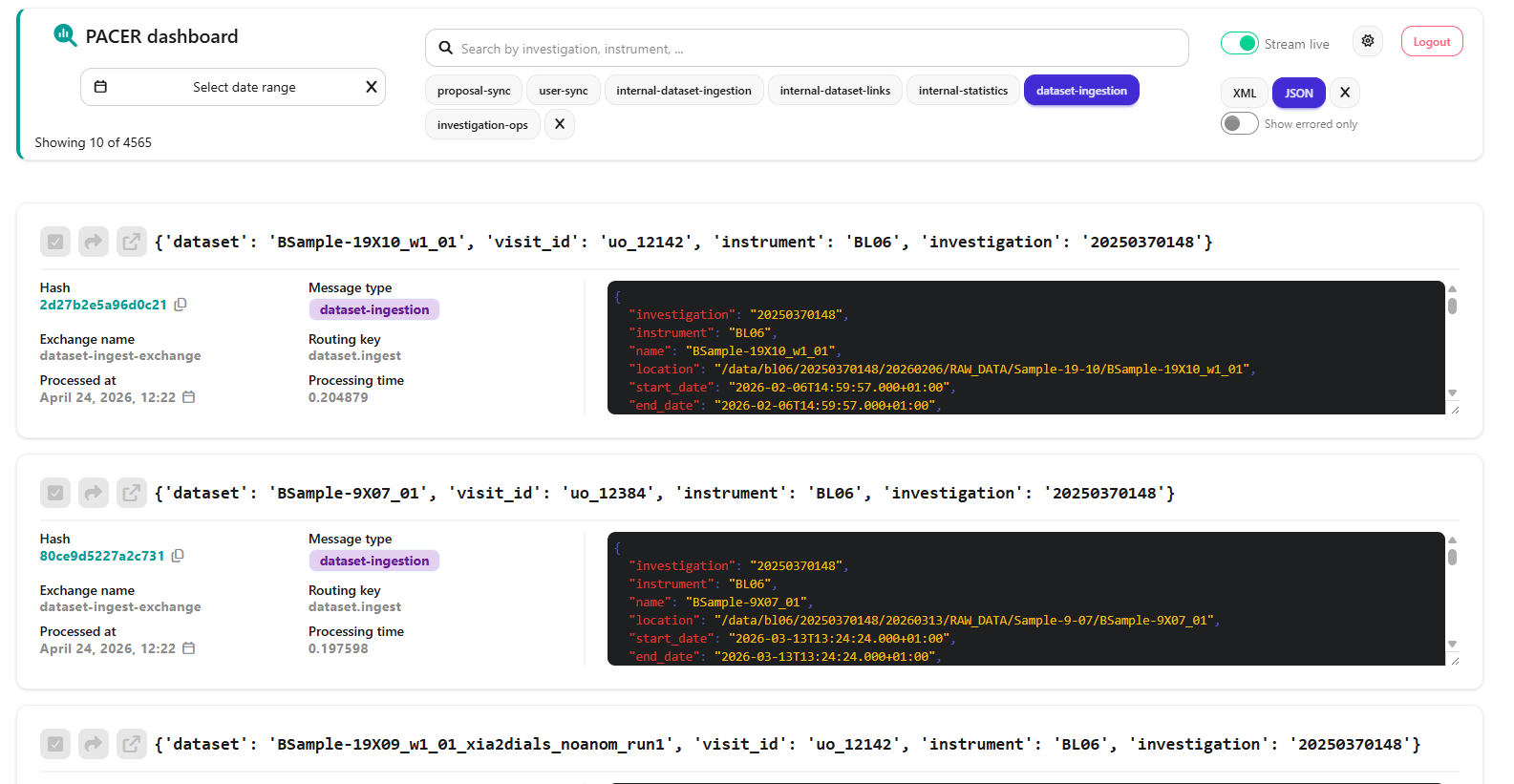
The PACER's dashboard user interface.
Features
In addition to the core monitoring capabilities provided by PACER, the dashboard extends the system with a set of tools designed to improve operational insight. These features are intended to support both day-to-day monitoring and deeper analysis of message processing workflows.
Real-time message editing with re-ingestion support
Users can modify incoming messages directly from the dashboard and trigger immediate re-ingestion. This allows for
quick correction of data issues without requiring external intervention or manual pipeline restarts.
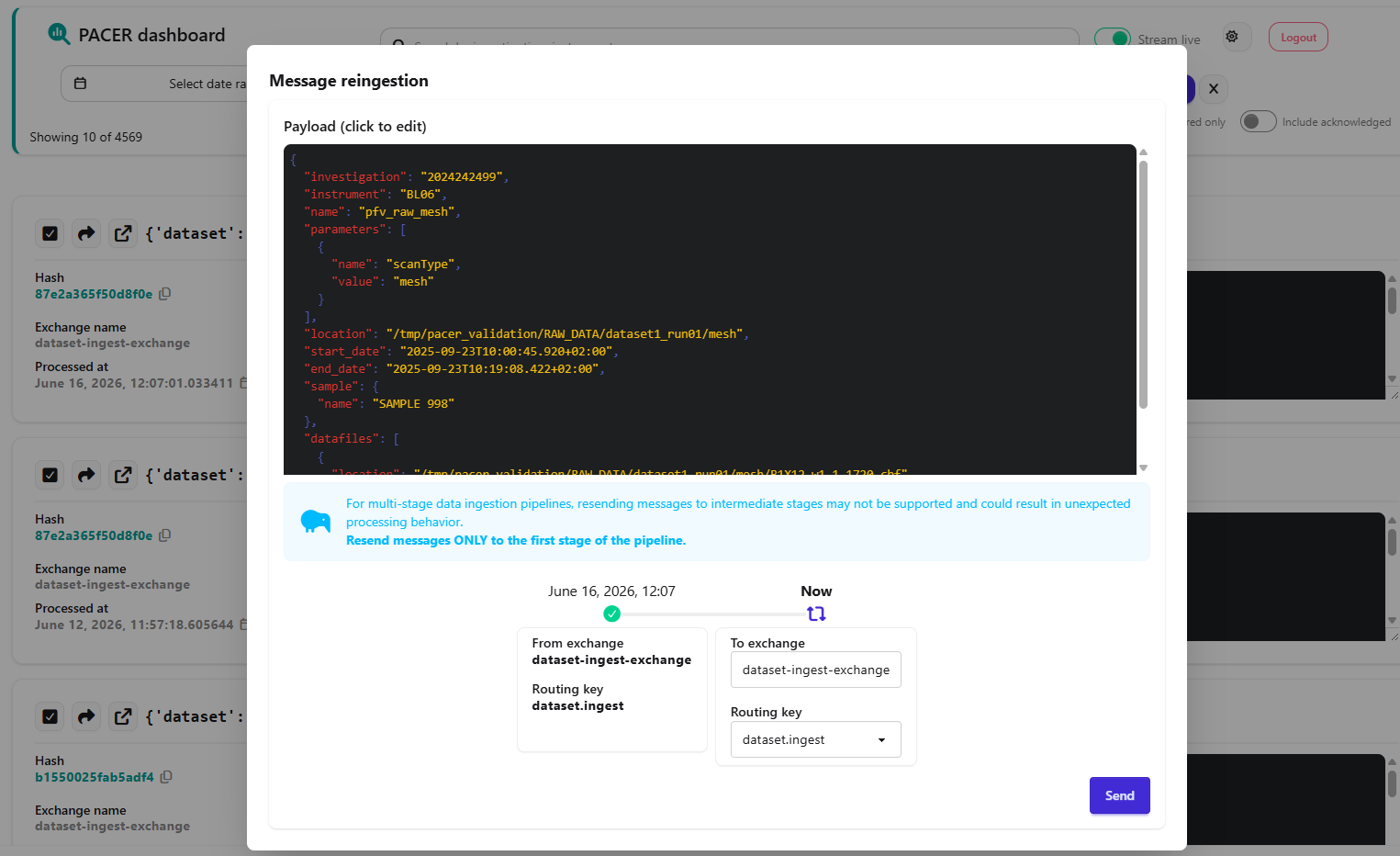
The reingestion dialog for a message.
Cross-stage message traceability
The system provides visibility into related messages across multiple ingestion stages. This makes it possible to track
how a single message evolves through the pipeline, identify transformations, and debug inconsistencies more
effectively.
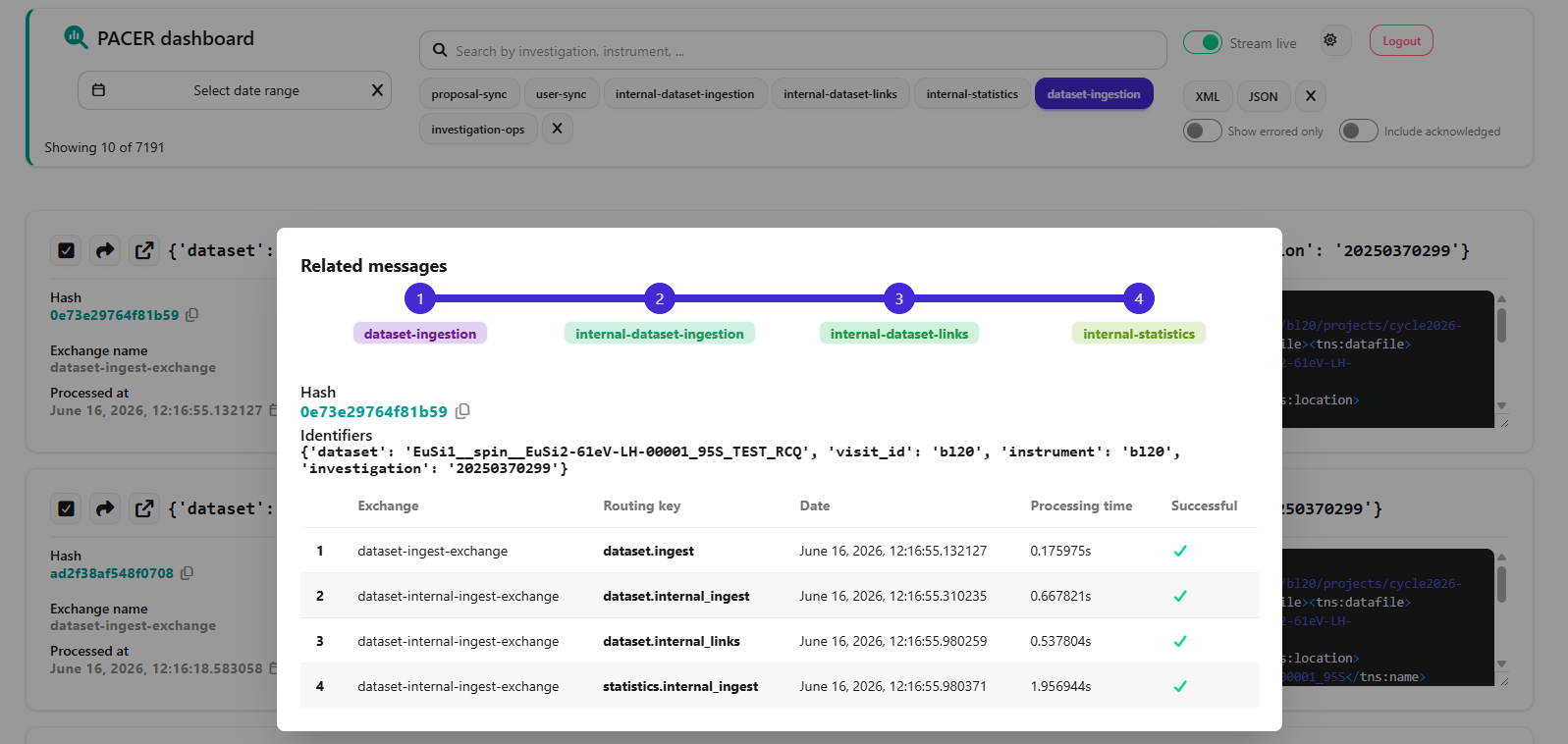
A dataset ingestion message with multiple stages.
Statistics overview
A dedicated statistics page aggregates key metrics about system performance and message processing activity. This
helps users monitor trends over time, detect anomalies, and gain a clearer understanding of overall system health.

The PACER's statistics dashboard.
Architecture
The dashboard is built using Django1 and uses PostgreSQL2 for persistent data storage. The web application is served through both uWSGI and ASGI: uWSGI handles the main web interface, while ASGI provides support for real-time features such as WebSockets.
After processing a message, each PACER consumer publishes processing results and operational metrics to RabbitMQ. On the dashboard side, a dedicated worker consumes these messages, processes the reported information, and stores it in the database. This data is then made available through the dashboard interface for monitoring, analysis, and debugging purposes.
architecture-beta
    group api(cloud)[PACER deployment]

    service db(database)[PostgreSQL] in api
    service uwsgi(server)[uWSGI server] in api
    service asgi(server)[ASGI server] in api
    service worker(server)[Worker] in api
    service rabbitmq(server)[RabbitMQ] in api
    service pacer(server)[PACER] in api

    db:R -- L:uwsgi
    db:R -- L:asgi
    db:R -- L:worker

    pacer:R -- L:rabbitmq

    rabbitmq:T -- R:worker
Partitioned database tables
Since all messages processed by PACER are stored in the database, partitioning the underlying tables is essential for maintaining efficient query performance and simplifying database maintenance. The dashboard application leverages the built-in partitioning capabilities provided by django-postgres-extra3 to manage data effectively, enabling the system to scale to large message volumes without significant performance degradation.
By default, partitions for the Message model span six-month intervals. The system maintains the current partition
along with two future partitions at all times. This behavior can be customized through the model configuration if
smaller partition sizes are required.
Partitions are created automatically using the command below. To ensure that future partitions are available when needed, it is recommended to run this command periodically as part of a scheduled maintenance task.
Investigation checks
The dashboard provides a dedicated command that executes specific workflows after an investigation’s end date has passed.
By default, this command verifies that every non-industrial investigation whose end date has elapsed has both a DOI and a PSS item created. If either is missing, it sends a request to PACER to trigger their creation.
This check is performed for up to 30 days after the investigation’s end date to account for potential delays in data ingestion. The process stops earlier if both the DOI and the PSS item are successfully created, whichever occurs first.
Role-Based Access to Messages
Access to message data can be controlled through the application’s user group system. In particular, access can be restricted based on message type or message content. This enables fine-grained permissions, such as allowing members of a given instrument to view only messages associated with that instrument.
This can be configured through the Django admin interface at /admin.
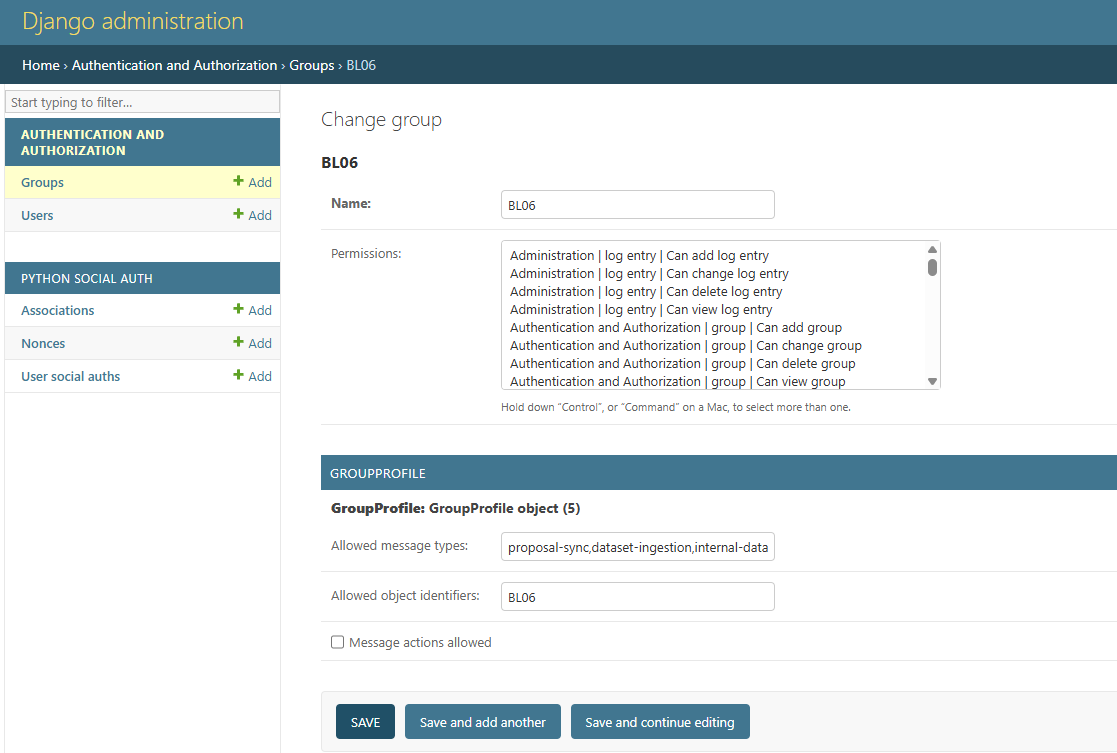
The admin interface of the PACER's dashboard.
Configuration
The configuration of the dashboard is mainly done through environment variables.
Database
| Variable | Type | Default | Info |
|---|---|---|---|
POSTGRES_DB |
str |
pacer-dashboard |
PostgreSQL database. |
POSTGRES_USER |
str |
pacer-dashboard |
PostgreSQL user. |
POSTGRES_PASSWORD |
str |
- | PostgreSQL user password. |
POSTGRES_HOST |
str |
localhost |
PostgreSQL host. |
POSTGRES_PORT |
str |
5432 |
PostgreSQL port. |
Authentication
If authentication is enabled, anonymous users will not be able to see the details of the messages that can contain sensible information.
| Variable | Type | Default | Info |
|---|---|---|---|
DISABLED_AUTH |
bool |
False |
Disable authentication. |
SSO_SERVER_URL |
str |
- | OpendID connect server URL. |
SSO_CLIENT_ID |
str |
- | OpenID Connect client's ID. |
SSO_CLIENT_SECRET |
str |
- | OpenID Connect client's secret. |
RabbitMQ
Info
For the message reingestion feature to work, the RabbitMQ user configured here must have write permissions on all
the queues that the PACER consumes messages from.
| Variable | Type | Default | Info |
|---|---|---|---|
RMQ_PROTOCOL |
str |
amqp |
Protocol for connecting with message broker. |
RMQ_HOST |
str |
- | Broker' host. |
RMQ_PORT |
str |
5672 |
Broker's port. |
RMQ_USERNAME |
str |
pacer-dashboard |
Broker's username. |
RMQ_PASSWORD |
str |
- | Broker's password. |
RMQ_VHOST |
str |
/ |
Broker's virtual host. |
ICAT
| Variable | Type | Default | Info |
|---|---|---|---|
ICAT_SERVER_URL |
str |
- | ICAT server URL. |
ICAT_USERNAME |
str |
- | ICAT server username. |
ICAT_PASSWORD |
str |
- | ICAT server password. |
ICAT_AUTH_PLUGIN |
str |
db |
ICAT authentication plugin. |
PaNOSC
This is optional, you do not need to set this unless your PSS server has basic authentication enforced.
| Variable | Type | Default | Info |
|---|---|---|---|
PANOSC_API_URL |
str |
- | PSS API URL. |
PANOSC_API_USERNAME |
str |
- | PSS username. |
PANOSC_API_PASSWORD |
str |
- | PSS password. |
Django
| Variable | Type | Default | Info |
|---|---|---|---|
SECRET_KEY |
str |
A default key is provided and is used for development and test purposes, use your own. | You can use Djecrety for generating a key. |